Skip to content
ddb33 App / Live
LIVE LOBBY

ddb33 — Slots, Live Tables and Cricket Betting for Bangladesh

Slots from PlayStar and Pragmatic Play, live dealer tables, and cricket sportsbook markets are all inside one account — with Nagad and Upay as verified payment rails so your wallet is ready the moment you confirm your details. Access is subject to your local law and eligible region.

bKash Nagad Rocket
Browse games
CONTENT / 01

What's Inside the ddb33 Lobby

The lobby organises its content by category so you reach what you are looking for without scrolling through everything. Slots from PlayStar, Pragmatic Play, Joker and Bigtime Gaming sit in the slots section; live dealer tables — including Baccarat Payout and Blackjack Livebets — are in the live casino section; and cricket sportsbook markets are one tab across.

  • Slots

    PlayStar, Pragmatic Play, Joker and Bigtime Gaming supply the slot titles in this lobby. Slot mechanics vary by title — some carry bonus rounds with prize multipliers, others use fixed paylines with standard reel symbols. RTP is shown inside the game where the provider exposes it. The slot section is accessible from the lobby navigation bar without leaving your current page.

  • Live Casino

    Baccarat Payout, Blackjack Livebets, Roulette FastLane and Casino Live Trivia are among the live table formats in the casino section. Each table streams in real time. Minimum and maximum bet amounts are shown on the table lobby card before you join. The live section is available on mobile at the same account login — no separate app required for access.

  • Cricket Sportsbook

    Cricket is the first category you see in the sportsbook section. International fixtures and BPL matches appear when scheduled, with markets visible from the match listing page. Football SuperGoal is also available in the sports section for members who follow football alongside cricket. Availability of specific markets depends on the fixture schedule and your eligible region.

ACCOUNT CARE

How We Support Your Account at ddb33

When something needs attention — a pending wallet query, a login question, or a payment record you need to review — the support route is visible inside your account dashboard after login.

  • Wallet Support

    Nagad and Upay payment records are visible inside your account dashboard. If a deposit or withdrawal reference needs checking, open the payment history tab and the transaction ID is right there — attach it directly when you contact the support team so the query resolves without back-and-forth. Mobile access keeps the same route.

  • Account Help

    Login issues, verification steps, and account limit queries all have dedicated paths in the help section. You do not need to describe your problem from scratch — the account help page reads your current account state and surfaces the relevant form.

  • Live Chat

    The live chat icon appears on every page of the platform once you are logged in. It connects to the Bangladesh support team. If you are mid-session and have a question about a game result, a table rule, or a wallet transfer, you can open the chat without

SESSION CONTROLS

Account Controls You Set Before You Play

The controls that matter most are the ones available before a session starts, not after it ends. At ddb33, session limits, spending controls and account pause options are accessible at the point of account creation — not buried in a compliance page you find only when something goes wrong.

  • Session Limit Controls

    When you create your account, you can set a session length that the platform enforces automatically. Once the limit is reached, the session closes and you receive a summary of activity in your account panel.

  • Spending Controls

    Spending controls let you define the amount you are comfortable committing over a chosen period. The figure you enter applies at the account level — it is not just a session-level cap. If you reach the amount you set, the account pauses further activity until the period resets.

  • Account Pause Option

    The account pause option is available from your settings panel at any time. Activating it suspends account activity immediately. This is designed as a genuine operational tool, not a hidden feature — the route to it is labelled clearly in account settings.

  • Verified Payment Records

    Every Nagad and Upay transaction is recorded against your account with a reference number and timestamp. You can view this record at any time from the payment history section of your dashboard.

LOCAL PAYMENTS

Nagad, Upay and Your Account Wallet

Nagad and Upay are the two verified payment rails on the ddb33 platform. Both are mobile wallet services used widely in Bangladesh, which means the deposit and withdrawal route matches the way most account holders already manage money on their phones.

  • Nagad

    Nagad deposits move directly from your mobile wallet to your ddb33 account wallet. The transaction reference appears in your payment history immediately after the transfer is confirmed. Withdrawal requests via Nagad follow the same path in reverse.

  • Upay

    Upay is a verified deposit and withdrawal route on this platform. The process mirrors the Nagad route: initiate from your account wallet page, confirm the amount, and the transaction record updates in your payment history with a reference number and timestamp.

  • bKash

    bKash is available as a payment route for eligible accounts. To use it, navigate to the deposit section of your account wallet and select bKash from the payment method list. The deposit amount and any applicable minimum are shown on that screen before you confirm.

  • Bank Transfer

    Bank Transfer is listed for members who prefer to move funds directly from a bank account rather than a mobile wallet. The account details required for a bank transfer are shown inside the deposit section of your account after login.

Banking
GETTING STARTED

From New Account to First Session — Four Steps

Opening a ddb33 account follows a straightforward sequence. Each step is shown on screen as you move through it, so you do not need to prepare anything in advance — just follow the fields as they appear. The account creation flow asks for your contact details, then a verification step to confirm your identity against the information you enter.

  1. Step 1 — Create Your Account

    Open the account creation page at ddb33 and complete the registration fields shown. These include your contact number, a password and the basic identity details required for wallet verification. The form tells you which fields are required before you move forward. Eligibility to create an account depends on your local law and region.

  2. Step 2 — Verify and Set Controls

    After submitting your registration details, a verification step confirms your identity. Once that clears, the account settings panel opens and you can set your session controls and spending limits before doing anything else. These are shown as part of the setup flow — you do not have to find them separately in settings after the fact.

  3. Step 3 — Connect Your Wallet

    Navigate to the wallet section and select your payment method — Nagad, Upay, bKash or Bank Transfer. Enter the deposit amount; the applicable minimum is shown on screen. Confirm the transfer from your mobile wallet or bank. The transaction reference appears in your payment history as soon as the deposit is recorded against your account.

  4. Step 4 — Open the Lobby

    With your account wallet funded, the full lobby is accessible. Select a category — slots, live casino or sportsbook — from the navigation bar. Game titles from PlayStar, Pragmatic Play, Joker and Bigtime Gaming are in the slots section. Live tables including Baccarat Payout and Roulette FastLane are in the live casino section. Cricket markets are one tab across in the sportsbook.

MEMBER DESK / 06

Offers, support and account controls

01

Game lobby

02

Payment guide

03

Support

DISCOVER / 01

Choose your game

Full lobby
GAME NETWORK
PlayStar
Pragmatic Play
Joker
Bigtime Gaming
CONTENT / 04

ddb33 lobby studios

The ddb33 lobby carries content from PlayStar, Pragmatic Play, Joker, Bigtime Gaming. To check the studio, rules or features of one specific game, open that game card or the published information panel.

  • PlayStar

  • Pragmatic Play

  • Joker

  • Bigtime Gaming

MOBILE ACCESS

Your ddb33 Account on Any Screen

The ddb33 home lobby is built to work at the same address — ddb33 — whether you open it on a desktop browser or your mobile phone. The layout adjusts to fit your screen: the category navigation bar shifts to the bottom on smaller screens so the game area stays central.

  • Slots on Mobile

    PlayStar and Joker slot titles scale to mobile screen sizes without a separate download. Open ddb33 in your mobile browser, log in, and the slots section is in the navigation bar. Game sessions save your last spin state so if your connection drops briefly, the round result is recorded against your account before the page reloads.

  • Live Tables on Mobile

    Baccarat Payout and Roulette FastLane are among the live tables that stream on mobile. The dealer view and the bet placement controls appear on the same screen — you do not need to scroll between them. Table minimums and maximums are shown on the lobby card before you enter, so you can check them on your phone before joining a table.

  • Wallet and Payments on Mobile

    Nagad and Upay deposits can be initiated directly from the mobile wallet section of your ddb33 account. The deposit screen shows the current applicable limit and the reference number field. Because Nagad and Upay are mobile-first payment services, the entire deposit flow from your account to your wallet confirmation happens on the same device without switching apps.
CONTENT / 03

Your ddb33 Account on Any Screen

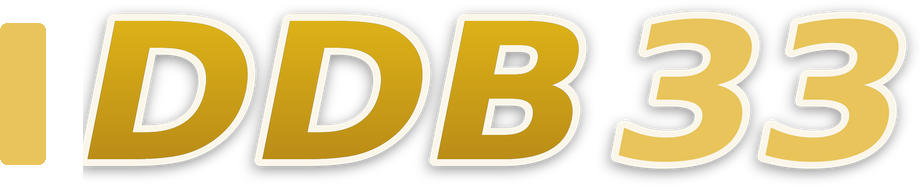
The ddb33 home lobby is built to work at the same address — ddb33 — whether you open it on a desktop browser or your mobile phone. The layout adjusts to fit your screen: the category navigation bar shifts to the bottom on smaller screens so the game area stays central.

  • Slots on Mobile

    PlayStar and Joker slot titles scale to mobile screen sizes without a separate download. Open ddb33 in your mobile browser, log in, and the slots section is in the navigation bar. Game sessions save your last spin state so if your connection drops briefly, the round result is recorded against your account before the page reloads.

  • Live Tables on Mobile

    Baccarat Payout and Roulette FastLane are among the live tables that stream on mobile. The dealer view and the bet placement controls appear on the same screen — you do not need to scroll between them. Table minimums and maximums are shown on the lobby card before you enter, so you can check them on your phone before joining a table.

  • Wallet and Payments on Mobile

    Nagad and Upay deposits can be initiated directly from the mobile wallet section of your ddb33 account. The deposit screen shows the current applicable limit and the reference number field. Because Nagad and Upay are mobile-first payment services, the entire deposit flow from your account to your wallet confirmation happens on the same device without switching apps.

FEATURED TITLES

Games We Get Asked About Most

Among the titles that Bangladesh account holders open most often, a few come up consistently across the slot and live casino sections. Easy Rocket Payout is a crash-style game where the multiplier climbs from the moment the round starts — you decide when to collect before the round ends. It is available in the game lobby under the crash category.

  • Easy Rocket Payout

    A crash-format game where the multiplier grows from the start of each round. You choose your exit point before the round closes — the amount at that moment is what lands in your account wallet. The current multiplier and round history are displayed on screen. Available under the crash category in the lobby.

  • Baccarat Payout

    Pragmatic Play's live baccarat table with a road map panel showing recent round history. The dealer and game controls share a single screen. Bet placement options — Player, Banker and Tie — are shown before each round opens. The table minimum is displayed on the lobby card so you can check it before joining.

  • Roulette FastLane

    A fast-format live roulette table where rounds complete quickly. The bet placement timer is shorter than standard roulette, which suits members who prefer a higher number of rounds per session. All standard roulette bet types are available. The FastLane format is in the live casino section under roulette.

ACCOUNT DASHBOARD

What's Running — Check Your Account Panel

Any active account offers or period-specific arrangements are not published as a static list on this page because the content changes and a page listing could show you something that no longer applies.

  • Current Offers

    The offers section of your account dashboard shows what is currently active for your account. This section updates based on your account status and region — the page you are reading now does not list specific amounts or conditions because those depend on your account tier and the current schedule, both of which are only accurate inside the dashboard.

  • Transaction Records

    Your Nagad and Upay transaction history in the payment section of the dashboard shows every credit and debit against your wallet with a reference number and timestamp. Any account credit applied as part of an active arrangement appears here alongside standard deposits, so the record is complete and checkable without relying on a separate statement.

  • Account Tier

    Account tier affects which offers and table access levels are available to you at any given time. Your current tier is visible in your account profile page after login.

Login
PLAYER INDEX / 07

Key Terms for Your ddb33 Account

Understanding a few specific terms makes the account, payment and game sections easier to navigate. The entries below cover the words that come up most often in the lobby, wallet and session control flows — explained in the context of how they work on this platform specifically, not as generic dictionary definitions.

Player guide and glossary
  • What is a bonus round in a slot game?

    A bonus round is a mechanic built into certain slot titles where a specific symbol combination triggers a secondary game phase. During this phase, the rules of the base game change — for example, Bigtime Gaming titles use variable reel mechanics where the number of active prize positions expands during the bonus round.

  • What does RTP mean and where do I find it?

    RTP stands for Return to Player — it is a percentage figure that describes the theoretical long-run return of a game across a large number of rounds. At ddb33, RTP is shown only where the game studio or provider publishes it inside the game interface.

  • What is a crash game and how does Easy Rocket Payout work?

    A crash game is a format where a multiplier increases from a starting value at the beginning of each round. You decide at what point to collect your stake multiplied by the current value — before the round ends. In Easy Rocket Payout, the multiplier climbs on screen in real time and you tap to collect when you are ready.

  • What is an account wallet and how is it different from my Nagad or Upay wallet?

    Your account wallet at ddb33 is the balance held inside your platform account — separate from your Nagad or Upay mobile wallet. When you make a deposit, funds move from your mobile wallet into your account wallet and become available for play. When you withdraw, funds move from your account wallet back to your mobile wallet.

  • What does 'eligible region' mean for my account?

    Eligible region refers to the set of locations where access to the platform and its services is available under applicable local law. Whether you can open and use an account at ddb33 depends on the rules in your specific location.

  • What is a session control and when is it applied?

    A session control is a limit you set on how long a play session can run before the platform automatically closes it. At ddb33, session controls are configured during account setup and enforced at the account level. When the set time is reached, the session ends and a summary appears in your account panel.

  • What is the difference between a deposit limit and a spending control?

    A deposit limit caps how much you can move from a payment method into your account wallet within a set period. A spending control — as configured at ddb33 — applies to the amount committed during play over a chosen timeframe. Both are set by you and enforced at the account level.

Full glossary
LOBBY / 02

One mobile lobby, distinct game areas

Roulette FastLane Live Roulette FastLane Access → Casino Live Trivia Slots Casino Live Trivia Access → Football SuperGoal Sports Football SuperGoal Access → Easy Rocket Payout Slots Easy Rocket Payout Access → Baccarat Payout Live Baccarat Payout Access → Blackjack Livebets Live Blackjack Livebets Access →
EXPLORE FURTHER / 04

Explore detailed guides

Local lobby check

QUICK ANSWERS

Frequently asked questions

The questions below come from the most common points of friction for new account holders in Bangladesh — covering payments, account verification, game access and support routes. Each answer describes the actual path on the platform rather than a general response.

Read FAQ →
How do I make my first deposit using Nagad?

After your account is verified and active, open the wallet section from your account dashboard and select Nagad as your payment method. Enter the amount you want to deposit — the minimum applicable to your account is shown on that screen before you confirm. Complete the transfer from your Nagad app.

Can I use Upay instead of Nagad for withdrawals?

Yes, Upay is a verified withdrawal route at ddb33. Navigate to the withdrawal section of your account wallet, select Upay, and enter the amount you want to transfer out. The withdrawal request is logged with a reference number in your payment history.

What games are available from Pragmatic Play at ddb33?

Pragmatic Play supplies both slot titles and live dealer tables in the ddb33 lobby. On the live casino side, Baccarat Payout and Blackjack Livebets are among the tables available. Slot titles from Pragmatic Play are in the slots section of the lobby and are among the most opened by account holders.

How do I find cricket betting markets on ddb33?

Cricket markets are in the sportsbook section of the lobby, accessible from the main navigation bar after login. International fixtures and BPL matches appear in the cricket category when they are scheduled. Each fixture listing shows the available markets before you open the match page.

What happens if I forget my account password?

The login page at ddb33 has a password reset option below the login fields. Select it and follow the steps shown — the flow sends a verification to your registered contact number or email, depending on which you used at registration. Once you confirm your identity through the reset flow, you can set a new password.

Are there any fees on Nagad or Upay transactions?

Fee information for each payment method is shown at the point of transaction inside your account — on the deposit or withdrawal screen before you confirm the amount. We do not publish a separate fee schedule on this page because the applicable amounts can vary by account type and transaction size.

How do I contact support if I have a problem mid-session?

The live chat option is available on every page of the platform once you are logged in — look for the chat icon at the edge of the screen. It connects you to the Bangladesh support team without leaving your current page.

Does ddb33 work on a mobile phone without downloading an app?

Yes. The full platform — slots, live casino, sportsbook and your account dashboard — is accessible from ddb33 in your mobile browser without a separate download. The layout adjusts to your screen size automatically. Nagad and Upay deposits can be completed on the same device because both are mobile wallet services.

READY WHEN YOU ARE

ddb33 game lobby

Access may be available only where local law permits.

Register Login